Features Overview
This page summarizes the core capabilities that are already clearly present in the current project.
1. AI chat and agent execution
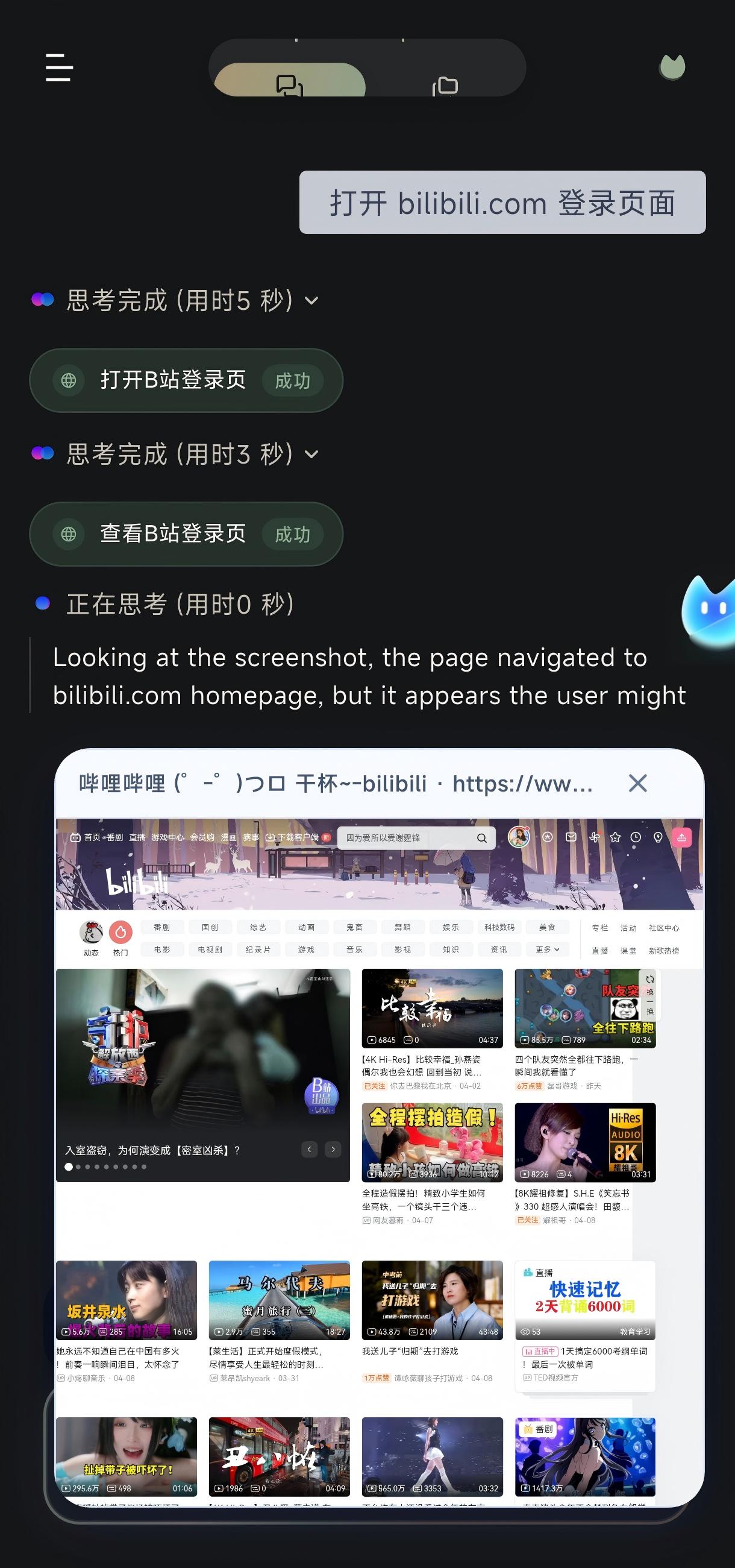
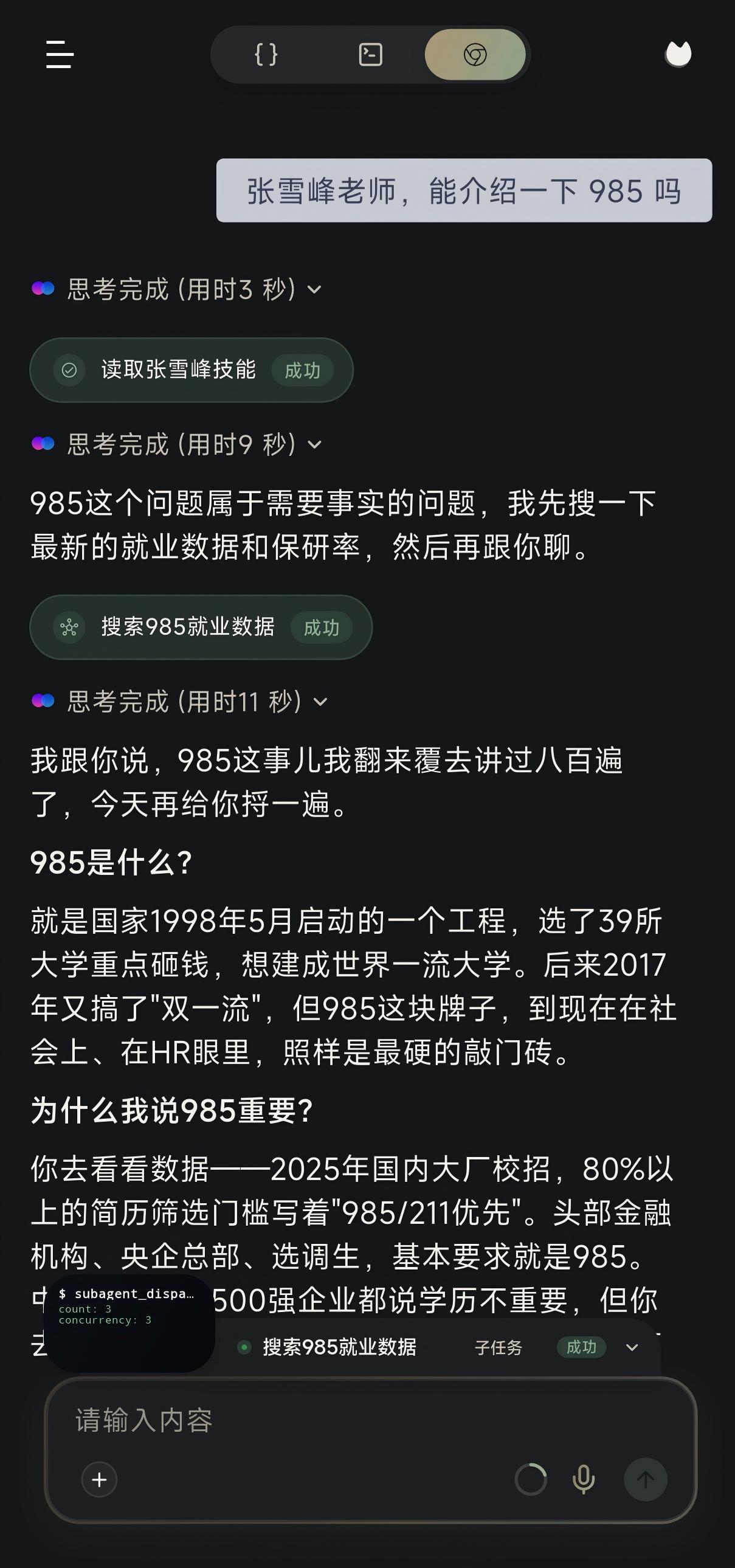
The Flutter chat page is more than a message list. It also visualizes the execution process:
- conversation threads and archives
- tool activity strips
- deep thinking cards
- execution summary cards
- browser overlays
- artifact previews
That means users can see an execution trail, not just plain answer text.
2. Mobile automation and VLM tasks
The agent’s action capability is built from several layers working together:
accessibilityreads the UI treeMediaProjectionForegroundServicecaptures the screenassistscontrols task lifecyclescene.vlm.operation.primarydrives the main visual decision chain
This is what allows the app to act on real Android interfaces instead of stopping at question answering.
3. Permissions and long-running presence
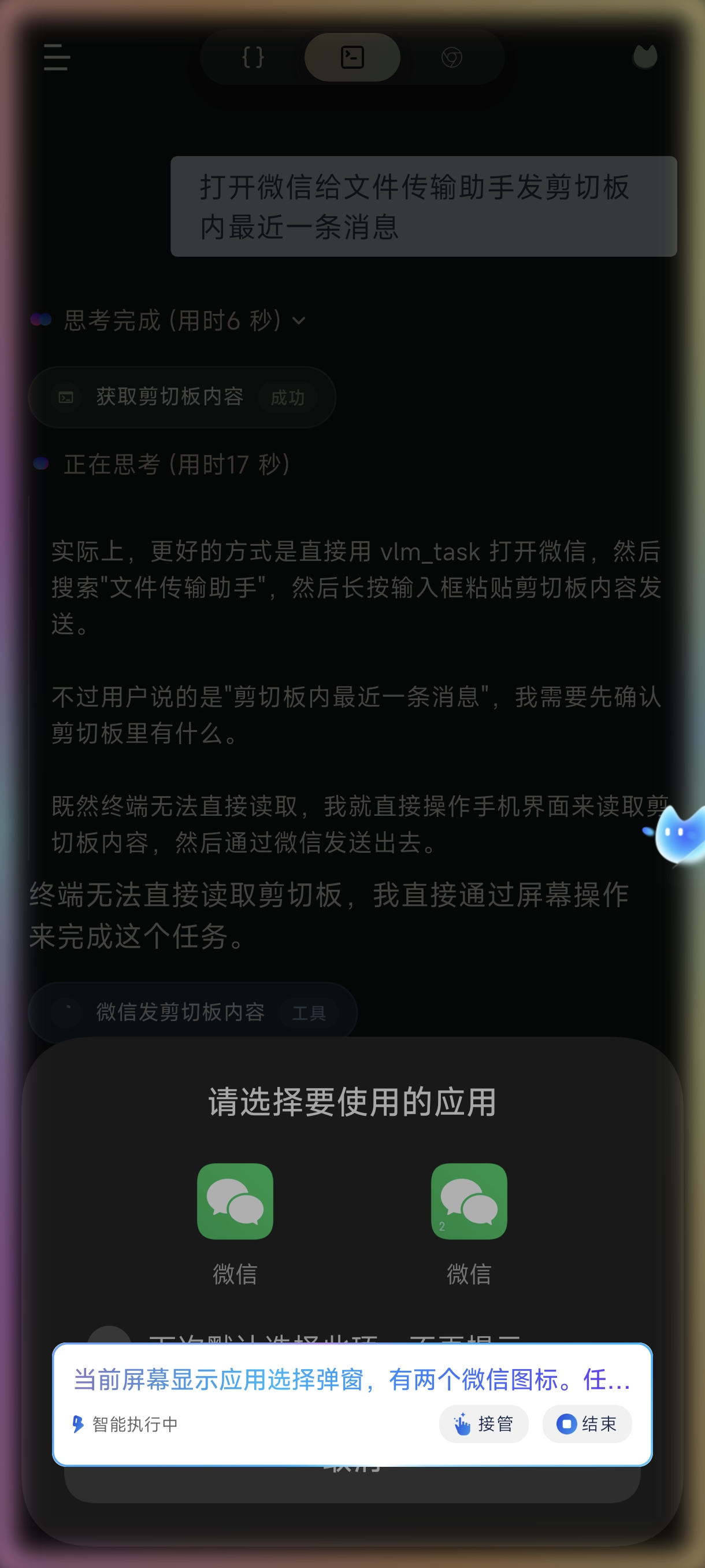
The app has a full permission model because reliable agent execution depends on it:
- background execution
- overlay permission
- installed apps access
- accessibility service
- optional
Shizuku - exact alarms and foreground services
These are not side features. They are core to stability.
4. Skill system
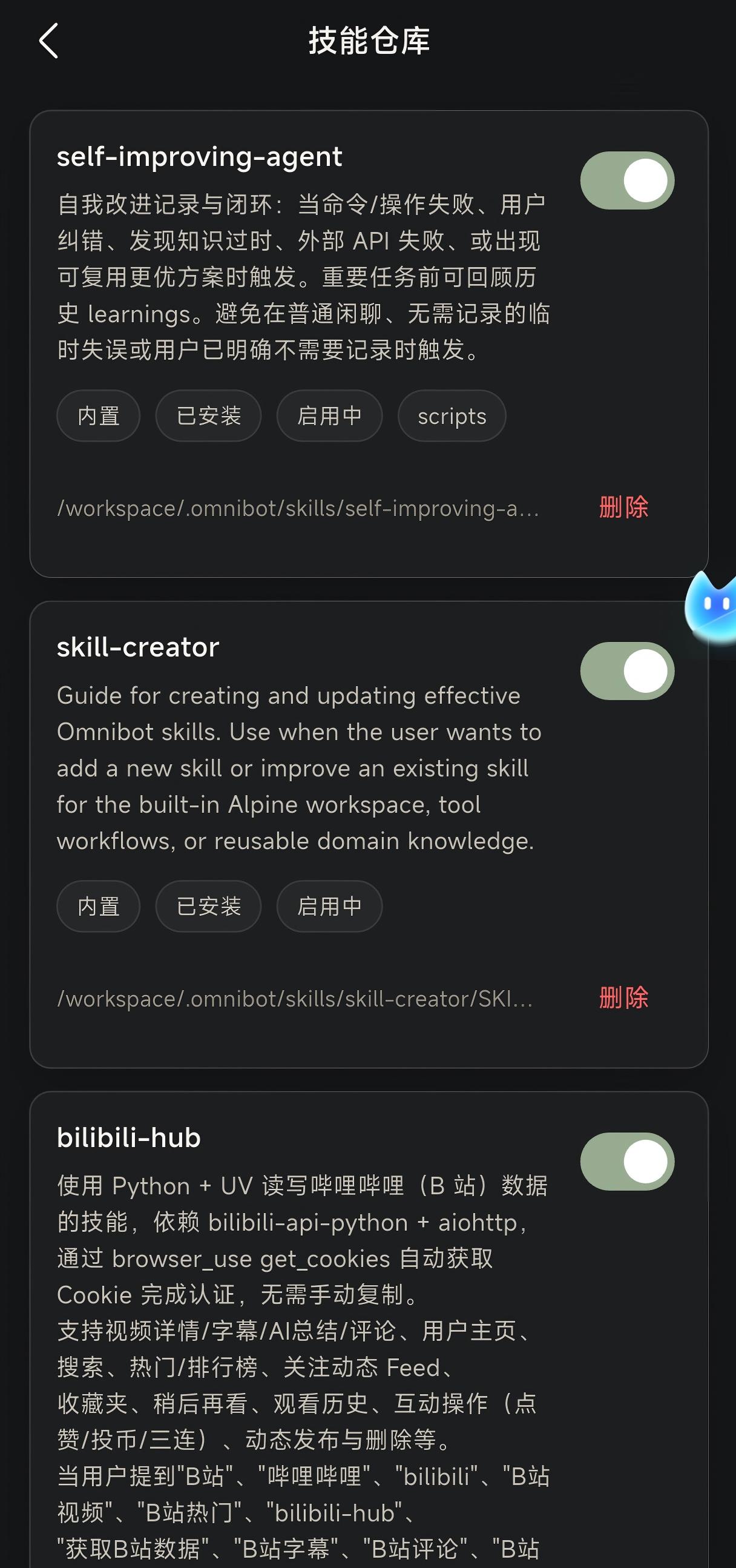
The skill store supports:
- searching skills
- installing built-in skills
- enabling or disabling skills
- deleting skills
This makes the product feel like a base agent with installable capabilities rather than a fixed feature list.
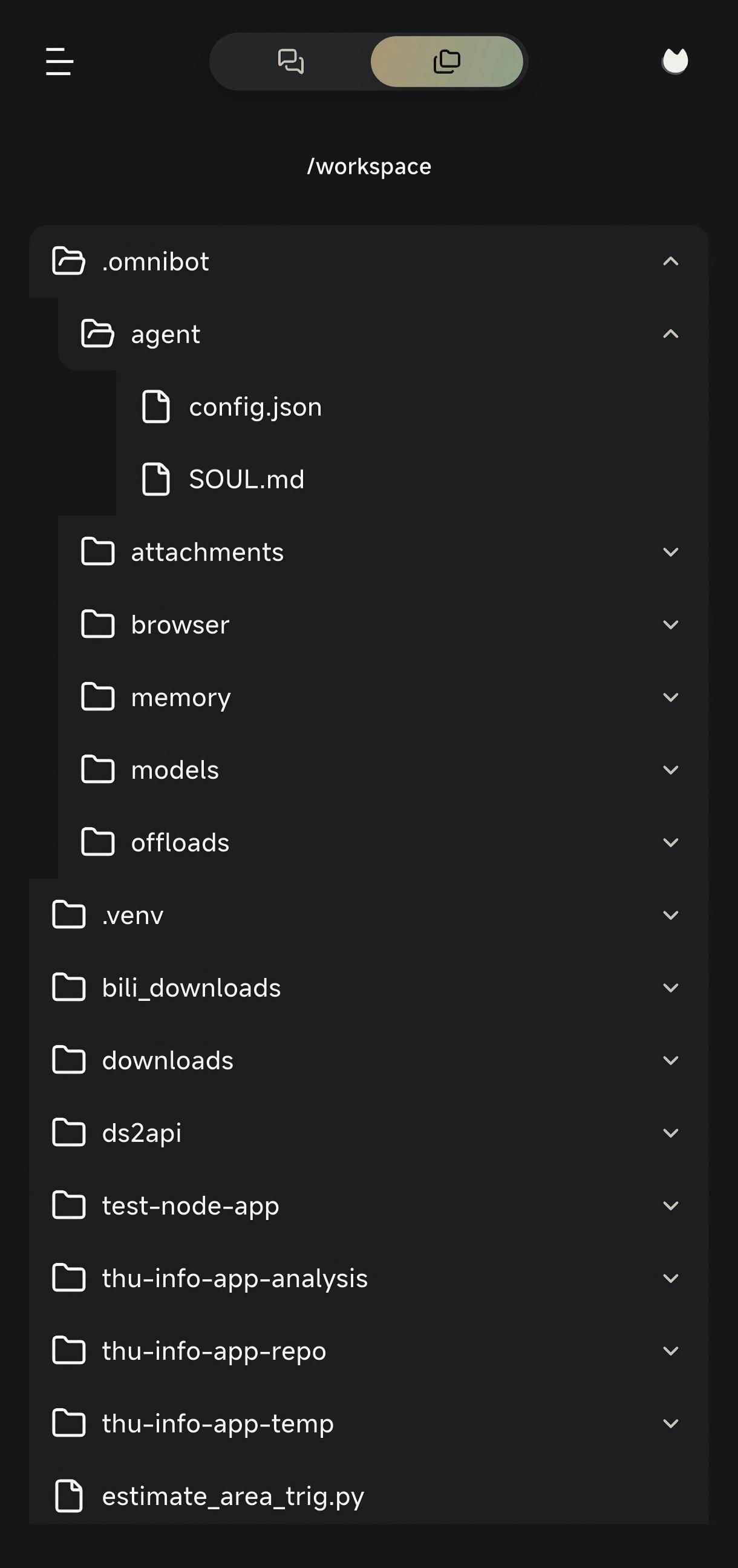
5. Workspace, files, and terminal
Workspace support is already treated as a first-class capability:
- file browsing
- artifact preview
- workspace path mapping
- embedded terminal runtime
- browser file selection and sharing flows
This pushes the product closer to an execution environment than a chat shell.
6. Local models and hybrid inference
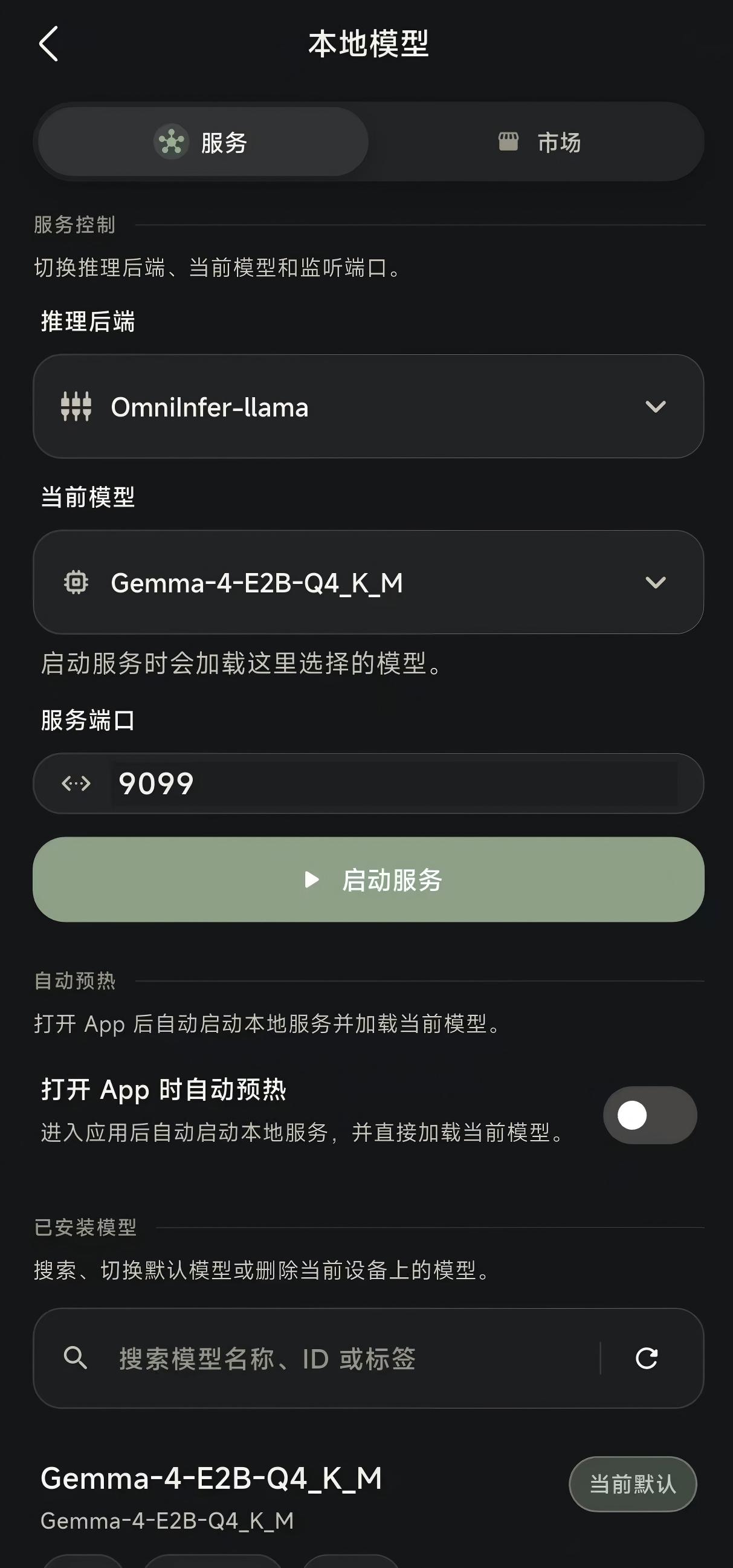
The project supports both remote and on-device model paths:
- remote: OpenAI-compatible providers and Anthropic
- local:
llama.cpp,omniinfer-mnn, andexecutorch-qnn
The local models page also includes dedicated service and market views, showing that model hosting and acquisition are part of the product, not just developer tooling.
7. Memory system
The current memory system has at least three layers:
SOUL.md: identity, tone, and behavioral boundariesCHAT.md: default chat promptMEMORY.md: long-term stable memory
On top of that, the project includes:
- short-term memory files
- embedding configuration
- nightly rollup
This moves the app from “chat context” to “workspace-level memory.”
8. Scheduled tasks and reminders
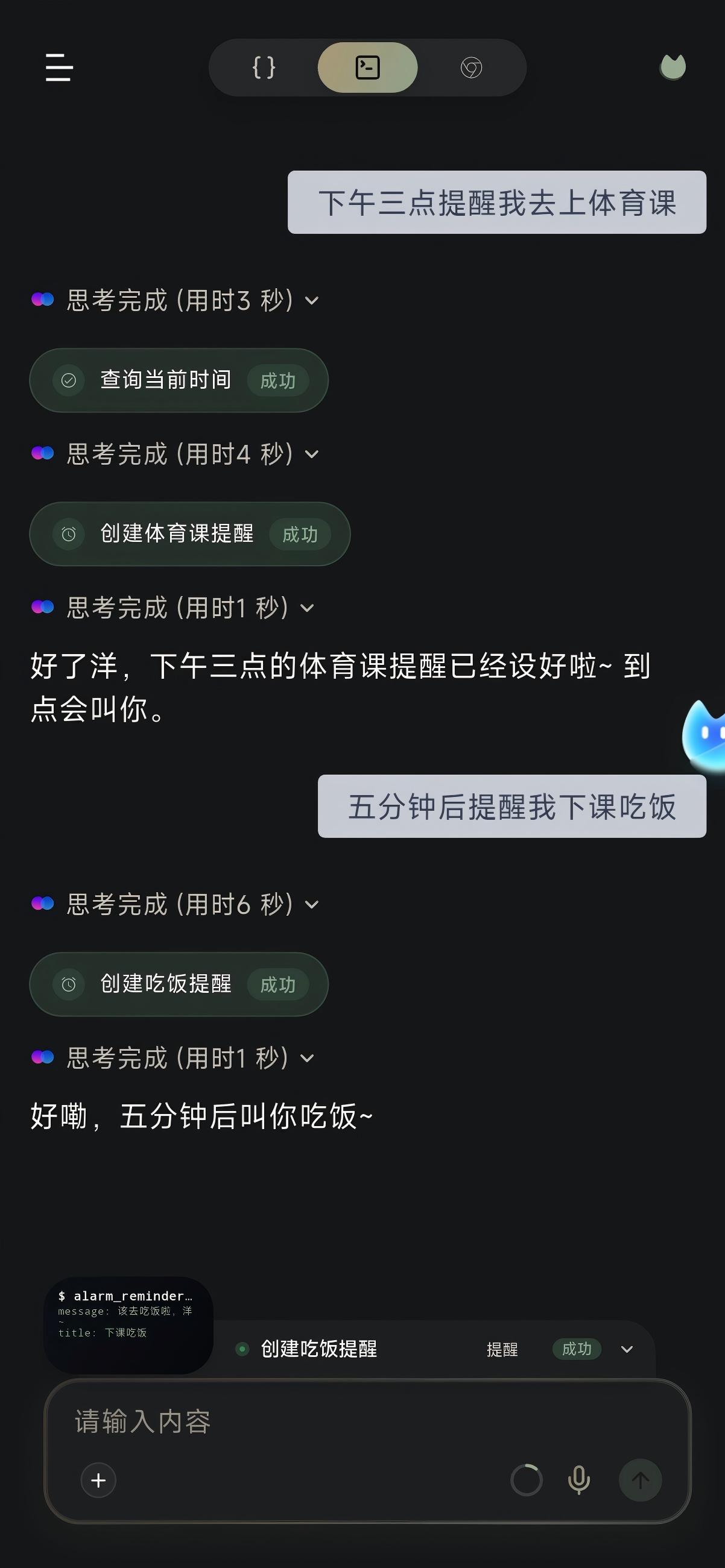
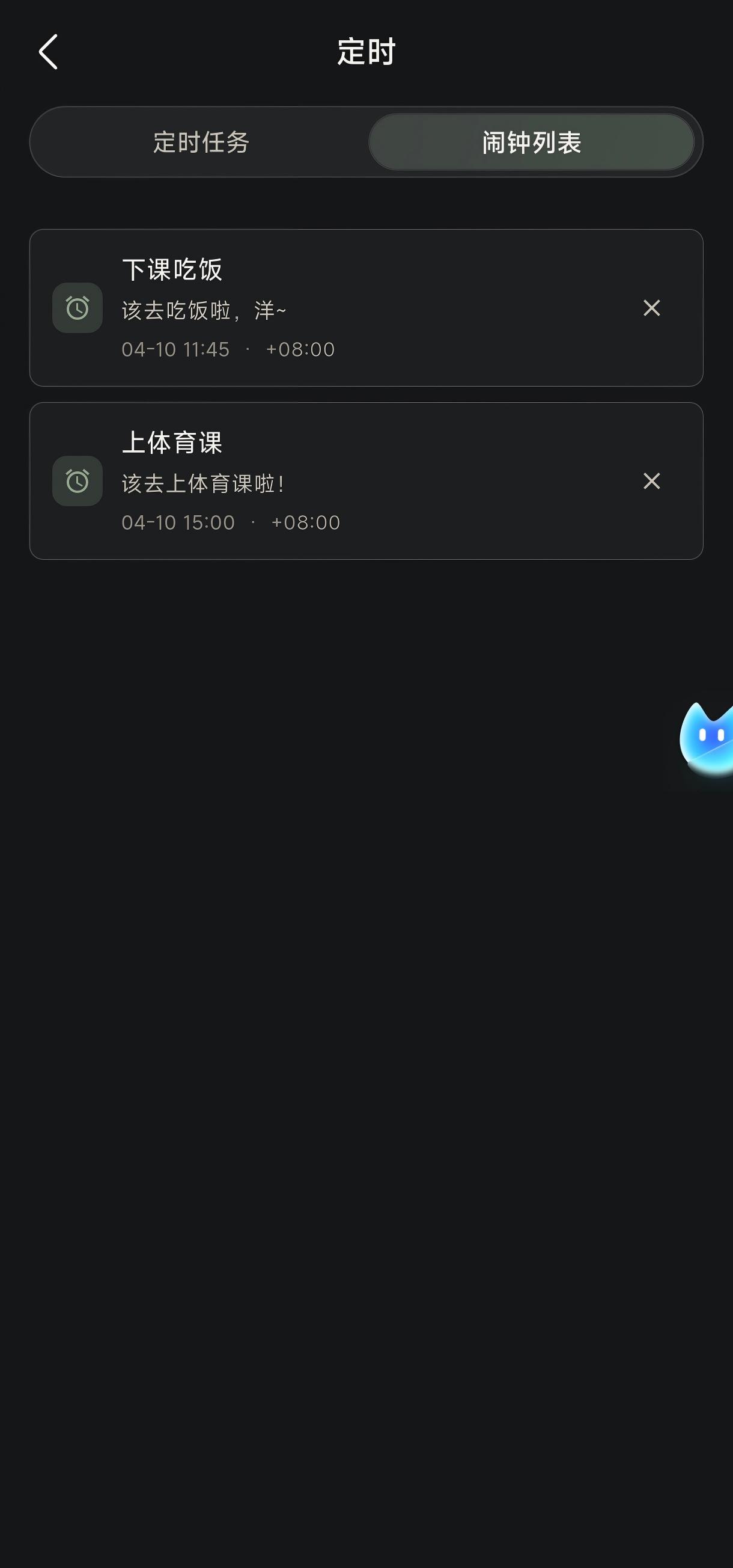
The project clearly separates two time-based capabilities:
Scheduled task: executable future workAlarm: reminder-style behavior
Combined with sub-agent flows, this means a task can continue beyond the current session at a later time.
9. MCP and WebChat
McpServerManager.kt makes it clear the app is not just a local mobile UI. It can also expose:
- a LAN MCP server
- bearer token authentication
- WebChat pages
- workspace file access
- browser mirror data
- conversation APIs
If you want Omnibot to behave like an AI execution node on a phone, this is the outward-facing interface layer.